Building an Eink NYT Frontpage
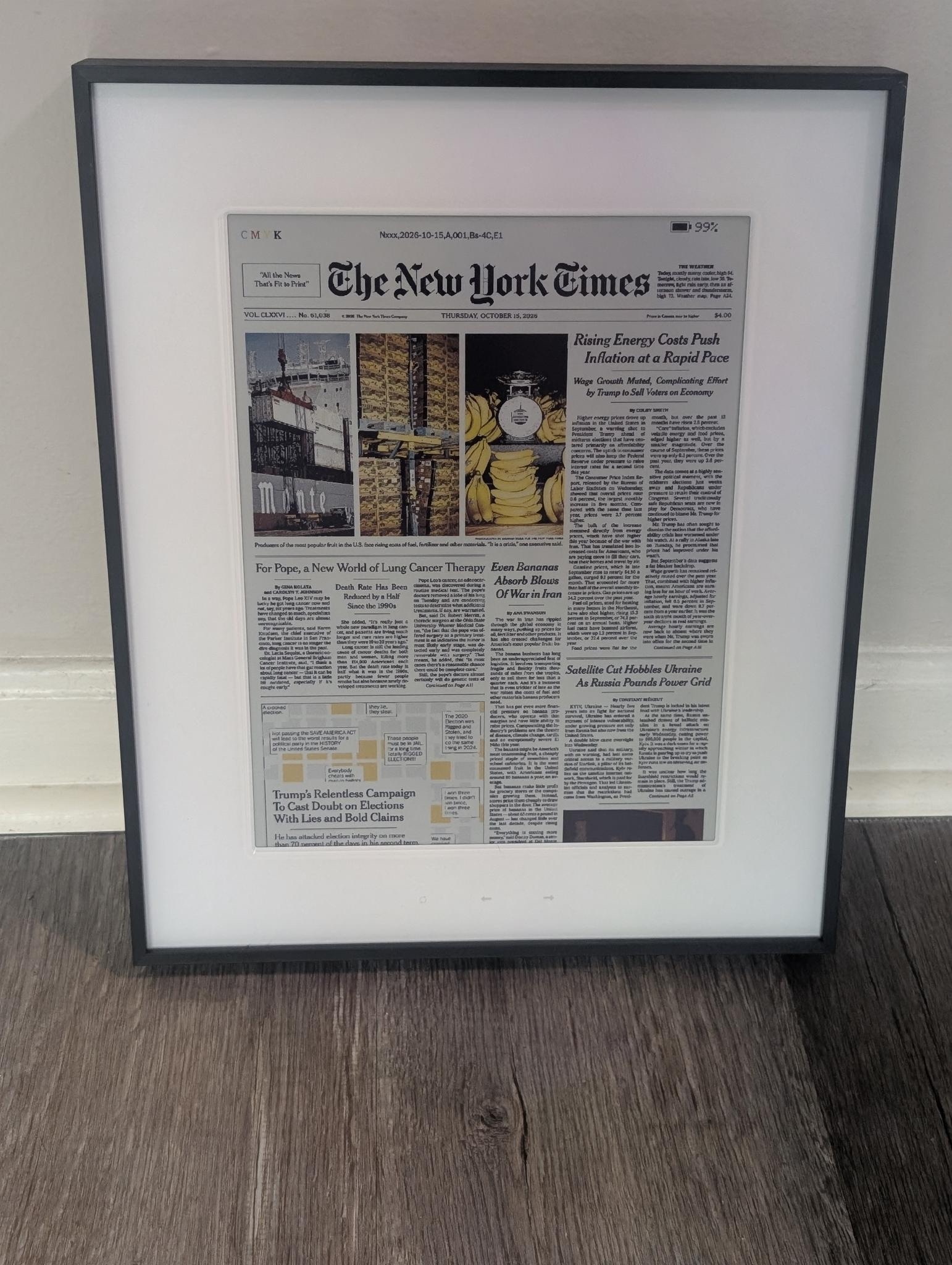
Gab had mentioned that she wanted a screen which showed the New York Times front page and changed itself every day. I remember thinking, I could build that. Her birthday gave me a good excuse.
She meant the actual print front page, with the type, photographs and slightly absurd amount of information newspaper designers fit onto one sheet of paper. A tablet with a news app open would have missed the point.
It also had to behave like a present. On the first power-on, the display should explain how to join its temporary Wi-Fi network, let her choose her home Wi-Fi and then handle the daily updates itself. It just needed to work.
That fairly small idea somehow acquired a six-colour image renderer, a captive portal, a five-edition archive, a browser flasher and an investigation into a battery charger’s status register.
The hardware
The display is Seeed Studio’s reTerminal E1004. It combines an ESP32-S3 with a 13.3-inch, 1200 × 1600 Spectra 6 ePaper panel.
Spectra 6 means the panel has six physical colours: black, white, red, yellow, green and blue. Coloured particles inside each pixel are moved into place during a refresh, then remain there without power.
A complete 1200 × 1600 image takes 960,000 bytes, with two four-bit pixels packed into each byte.
Because the panel keeps its image without power, the present did not need to be plugged in or have a cable hanging out of it. I could put it in the box with the birthday screen already showing.
The E1004 also has the useful pieces already inside its enclosure:
- An ESP32-S3 with Wi-Fi
- 8 MB of PSRAM
- 32 MB of flash
- Three face buttons
- A rechargeable battery and charger
- USB-C power and serial
Once the firmware is installed, the E1004 is self-contained. It downloads and renders the newspaper itself.
What I wanted it to do
I wanted Gab’s part to be short:
- Gab unwraps it and sees the birthday splash.
- She switches it on.
- The display explains how to connect it to Wi-Fi.
- From then on, it just works.
It synchronises the current New York date with NTP, downloads the dated front-page JPEG over HTTPS, validates it, renders it into the panel’s six colours and saves a local copy. On the first successful run it also retrieves the previous four editions.
The left and right buttons move through those five saved pages. The refresh button forces a new check. Normally the device wakes every three hours, synchronises its clock and only redraws if a newer dated edition is available.
If Wi-Fi is down or the download fails, it leaves the current newspaper on the panel and tries again later.
Finding the newspaper
I first tried to get the image directly from the New York Times, but it doesn’t seem like they support this.
The Freedom Forum Today’s Front Pages collection had the image I needed. Its New York Times page loads a dated large JPEG. The sample I tested was a 1542 × 2958 baseline image, a little over one megabyte.
The firmware uses the observed dated path:
https://d2dr22b2lm4tvw.cloudfront.net/ny_nyt/YYYY-MM-DD/front-page-large.jpgThe date is part of the image URL, so the firmware can ask for a particular edition. I am leaning on a URL used by their website here. If they rearrange it, I get to fix the firmware. A bad response or network error leaves the existing page alone.
Making it readable
The first version did, technically, put an entire newspaper on the screen. It was also fairly useless as a newspaper.
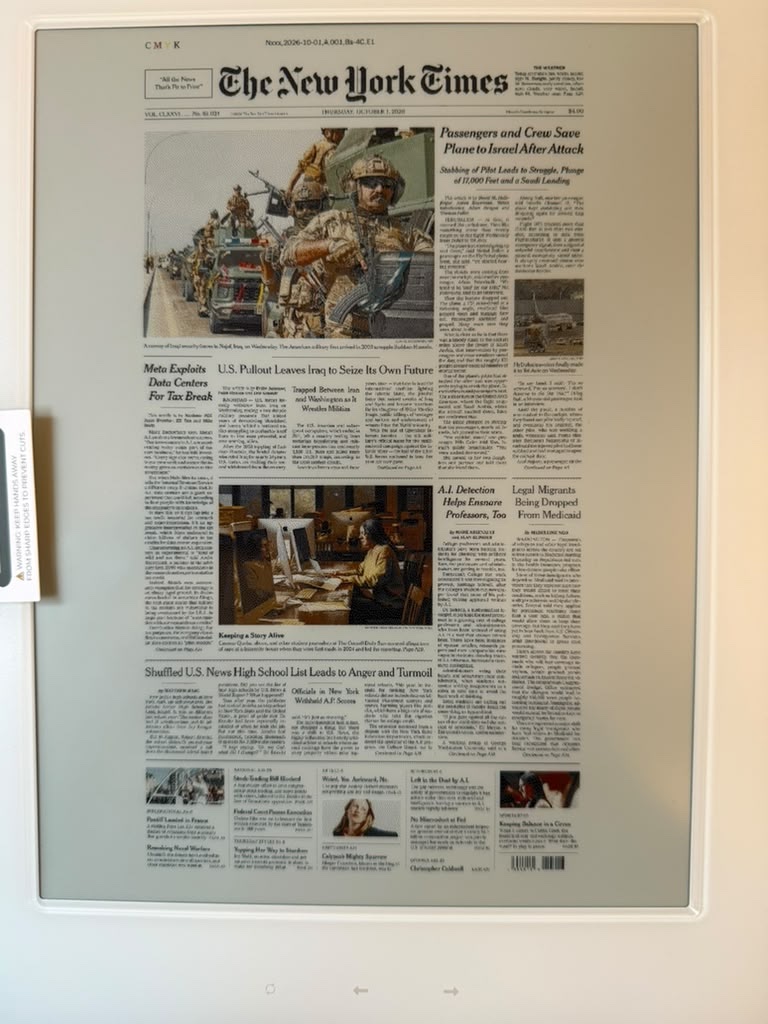
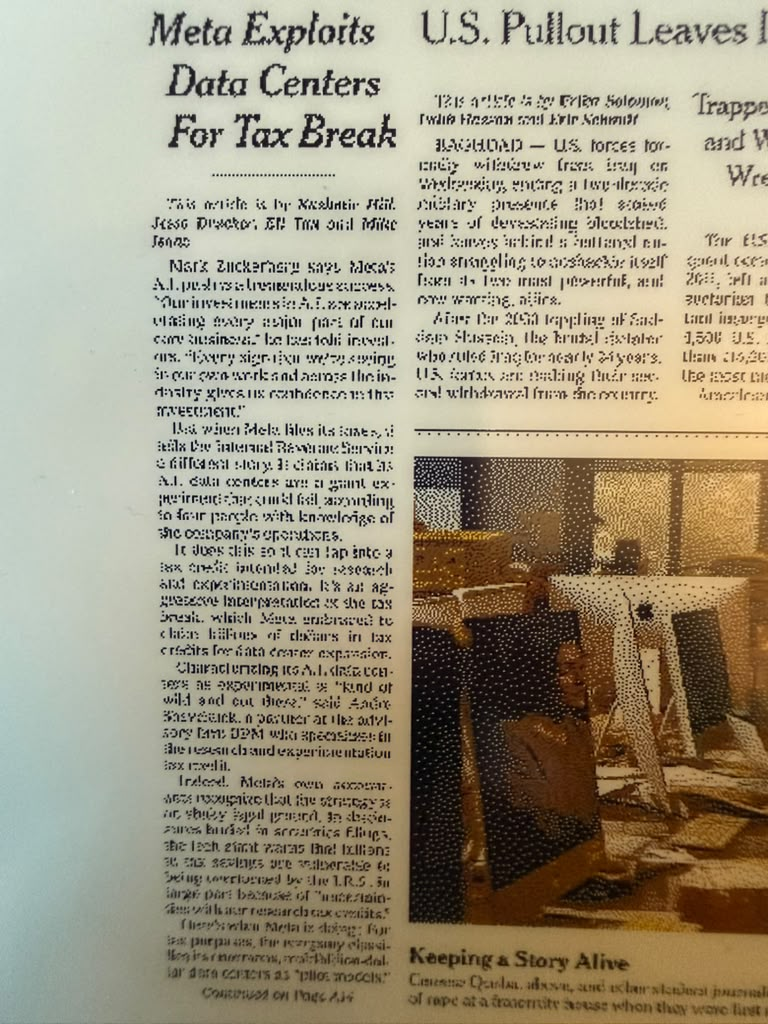
I was shrinking a 1542 × 2958 image into 1200 × 1600 pixels. Fitting the whole page made the body text only a handful of pixels high, and the ESP32’s nearest-neighbour resize was quite capable of dropping a thin letter stroke altogether. I then made things worse by turning the grey antialiasing around those damaged letters into black-and-white dots.
My first fix was to keep neutral text and paper strictly black and white, while only dithering the photographs. That removed a lot of the fuzz, but the type was still being mangled before it reached the panel.
The fix was fairly brutal: we resized the page to exactly 1200 pixels wide, anchored it at the top and cut off the bottom. Instead of grabbing the nearest source pixel, the firmware averages the small patch of pixels which lands on each display pixel, then applies a light sharpening pass to put some weight back into the letter strokes.
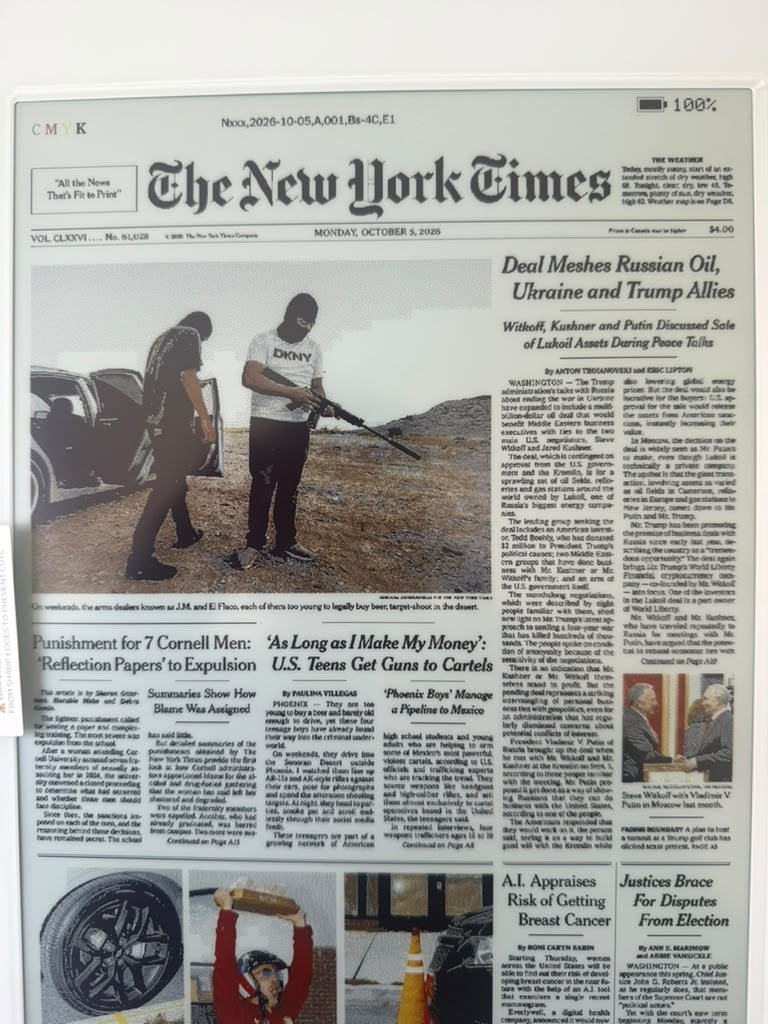
Colour was the next annoyance. The display has no grey ink. A pale grey sky has to become a pattern of black and white pixels, while a colour photograph has to be squeezed into six inks. Run the same error diffusion across the whole page and the photographs gain texture while the small type dissolves into confetti.
The renderer now treats the page differently depending on what it is looking at. Text and white paper stay crisp black and white. Neutral photographs get a sharpened black-and-white halftone. Colour photographs use error diffusion across all six inks.

I did make one final attempt to clean up those dots by forcing smooth, bright parts of photographs to white. It looked sensible in a preview. On the actual panel it spread dithering into other areas and cost some of the text quality I had just recovered. I put the previous renderer back.
I stopped tuning it there. Every further change seemed to move the ugliness from one part of the page to another. This version kept the newspaper intact, even if the photographs looked like newspaper photographs from extremely close range.
I tested the actual JPEG decoder and packing code with a real full-resolution front page. The tests cover complete destination pixels, valid palette nibbles, malformed JPEGs and odd image widths. I also ran the renderer under AddressSanitizer, then checked the result on the display itself. A full colour refresh takes about 28 seconds, so every bad layout decision comes with plenty of time to think about it.
First show the present
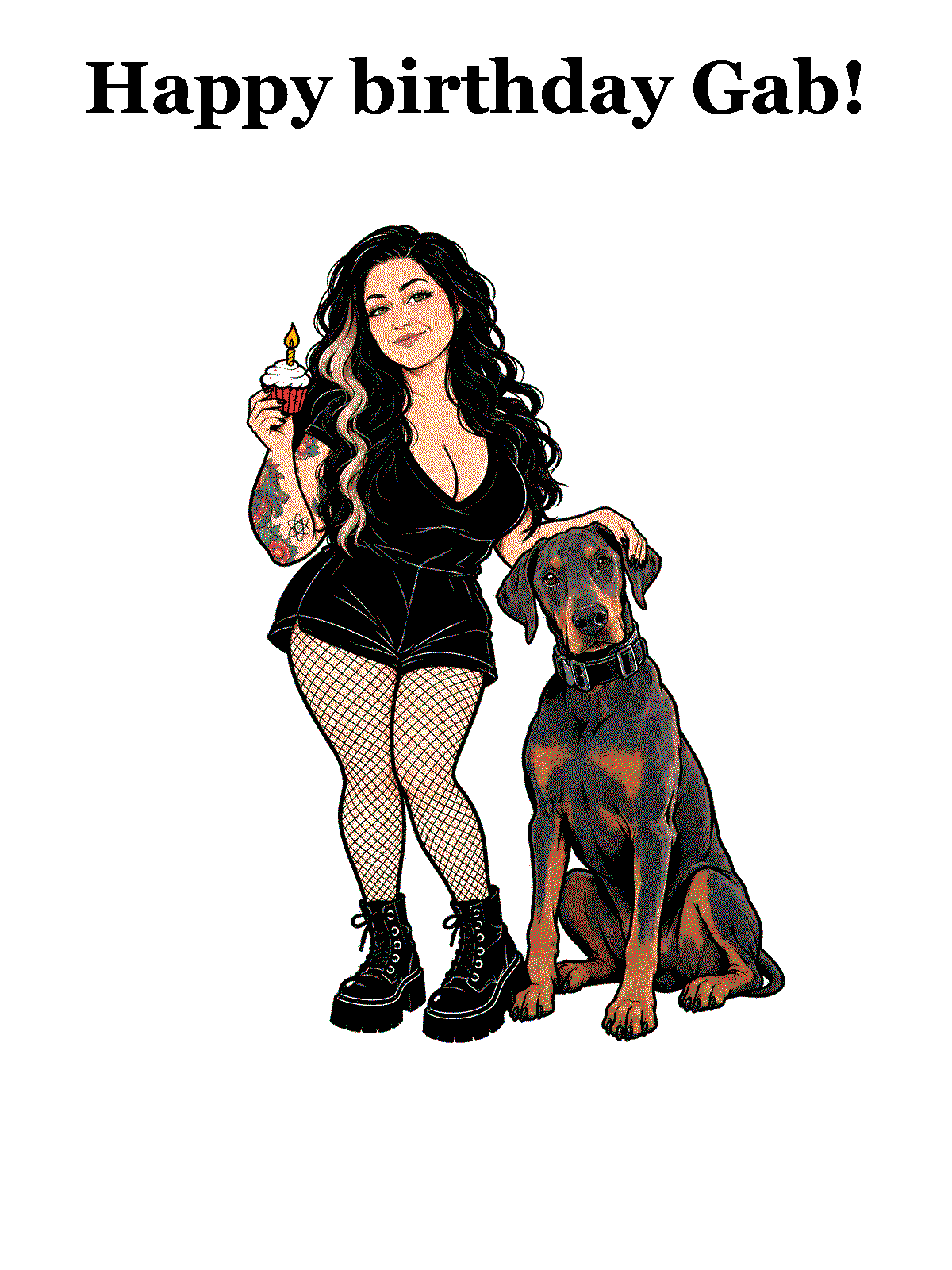
The display starts with a birthday illustration of Gab and Hank.
The illustration is embedded in the firmware rather than downloaded. With a little ChatGPT magic and some image generation, I got it into a shape that worked on the six-colour display. The greeting stays plain black so it remains readable after the palette conversion.
My first version put the birthday message and the Wi-Fi instructions on the same screen. Technically it worked. It also made the present look like setup documentation.
I split the experience into two screens:
- A birthday splash for the wrapped present
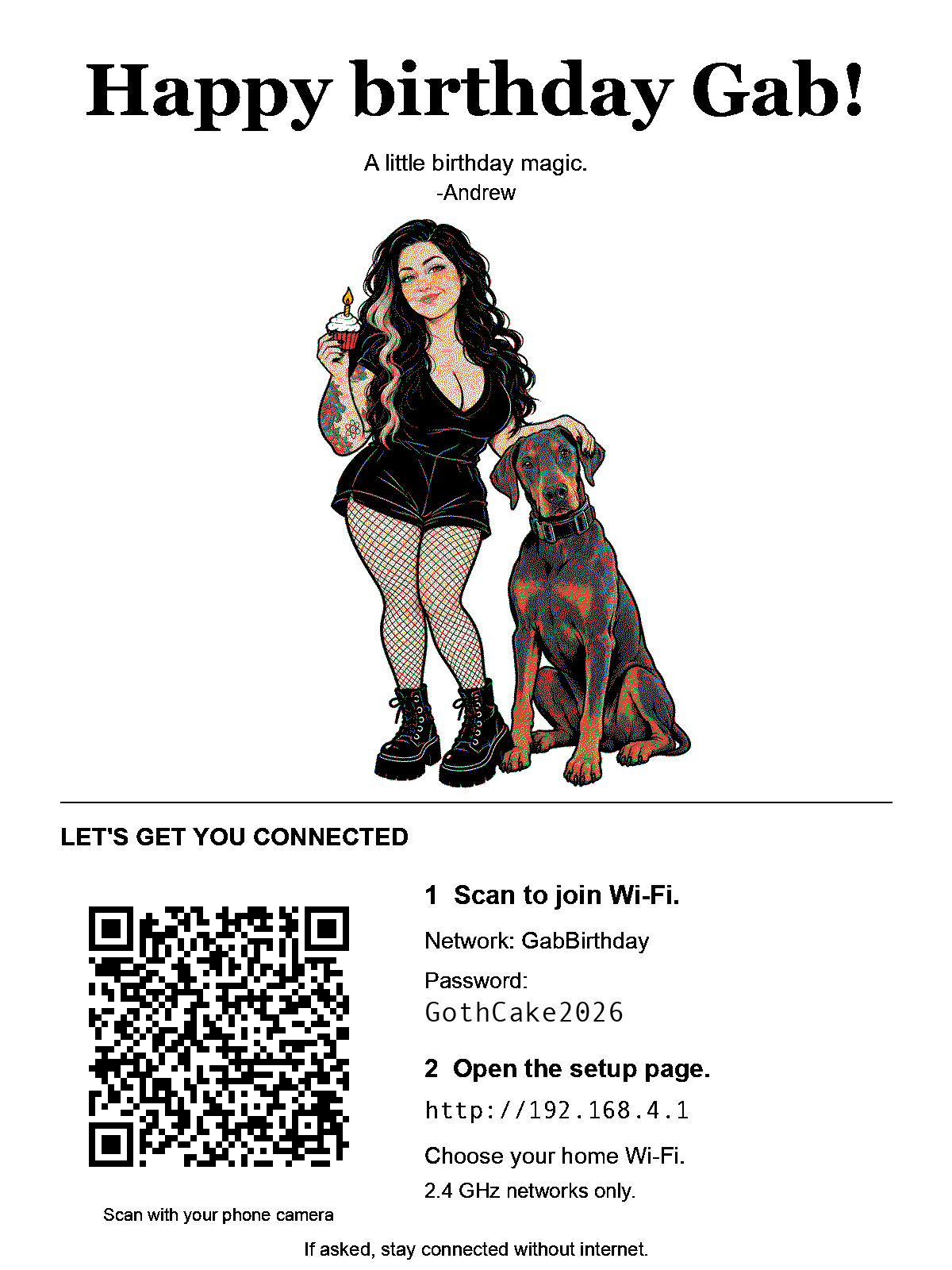
- A separate setup screen with a QR code, network name, password and instructions
The device creates the real QR from its own random password. The screenshot below uses a sample password for layout testing.
The packaging problem
While I was building the display it lived on my desk with USB connected. I needed the cable for flashing and serial logs. When I was finished, I wanted to switch it off, remove the cable and wrap it with the birthday artwork still visible.
When Gab turned it on for the first time, it needed to leave that splash and open Wi-Fi setup automatically.
My first implementation displayed the birthday screen and then advanced to the setup screen in the same boot. That was fine for a demo and useless for packaging.
Buttons were not much better. I did not want the first instruction attached to the present to be “hold both arrows while poking reset for two seconds.”
The rear power switch gave me the transition I needed. I left USB connected until the birthday splash was drawn, switched the display off, unplugged it and put it in the box. The image stayed. Later, when Gab used the rear switch, it started a fresh boot with no USB attached and went into setup. Unplugging the cable from a running display was never the trigger.
The firmware only needed to distinguish these startup states:
| State | Behaviour |
|---|---|
| Unconfigured boot with USB connected | Keep the birthday splash and sleep |
| Unconfigured boot without USB | Open setup automatically |
| Configured boot | Restore or update the newspaper |
The board already had a useful signal for this. Its SY6974B battery charger is connected to the ESP32 over I²C at address 0x6B. Status register 0x0A contains BUS_GD, a bit which says valid USB input power is present.
The code is tiny:
bool usbPowerPresent() {
    // Read SY6974B register 0x0A over I²C.
    // BUS_GD is bit 7.
    return chargerStatus & 0x80;
}
The firmware reads BUS_GD during startup and chooses the matching path from the table.
That is quite a lot of birthday behaviour hiding inside one charger bit.
GabBirthday
The temporary setup network is called GabBirthday.
The display shows the generated password as text and as a Wi-Fi QR code. Once the phone joins GabBirthday, the ESP32’s captive portal should open the setup page automatically. If it does not, Gab can open http://192.168.4.1 herself, choose her 2.4 GHz home Wi-Fi and enter its password.
The setup page is served directly by the ESP32, so it is available before the display has an internet connection.
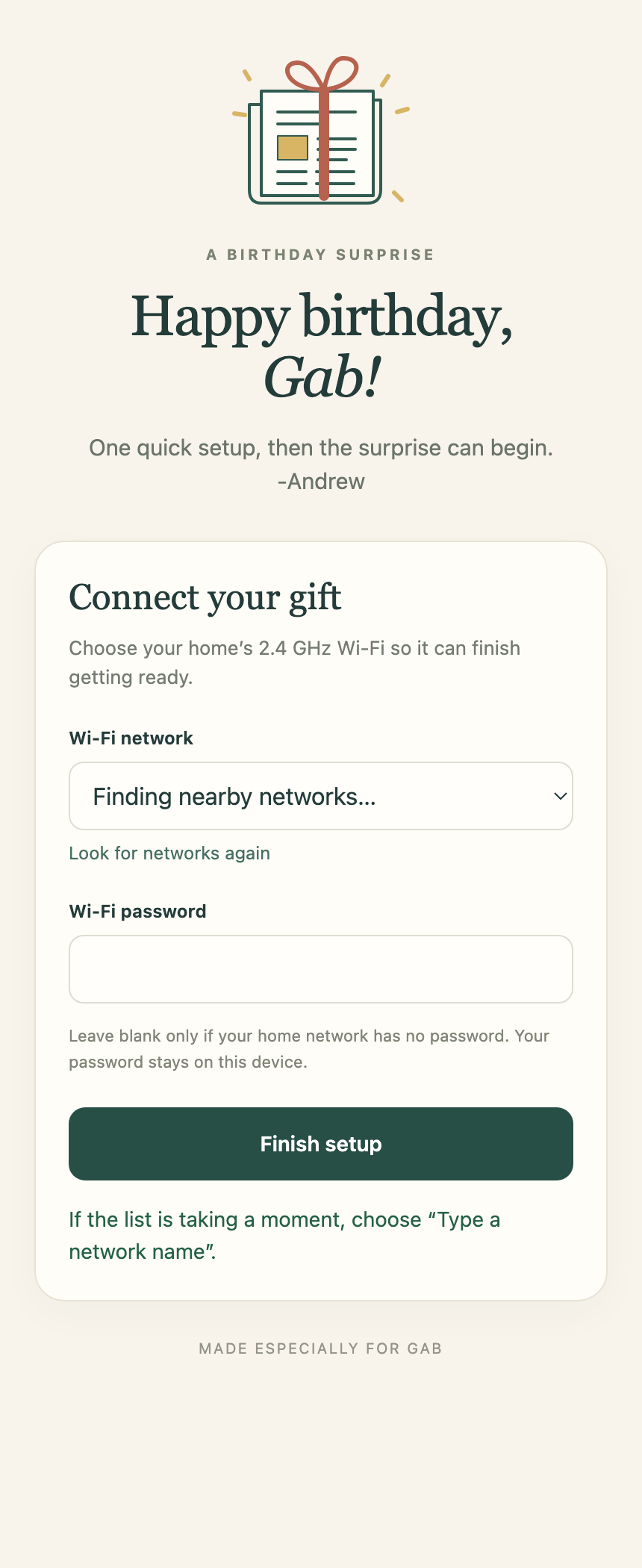
Once a network is chosen, the display tests the connection. If it works, the details are saved and setup carries on. If it fails, the page stays open for another try.
The portal accepts setup requests only through the temporary access-point interface. Passwords are masked and not written to the serial log.
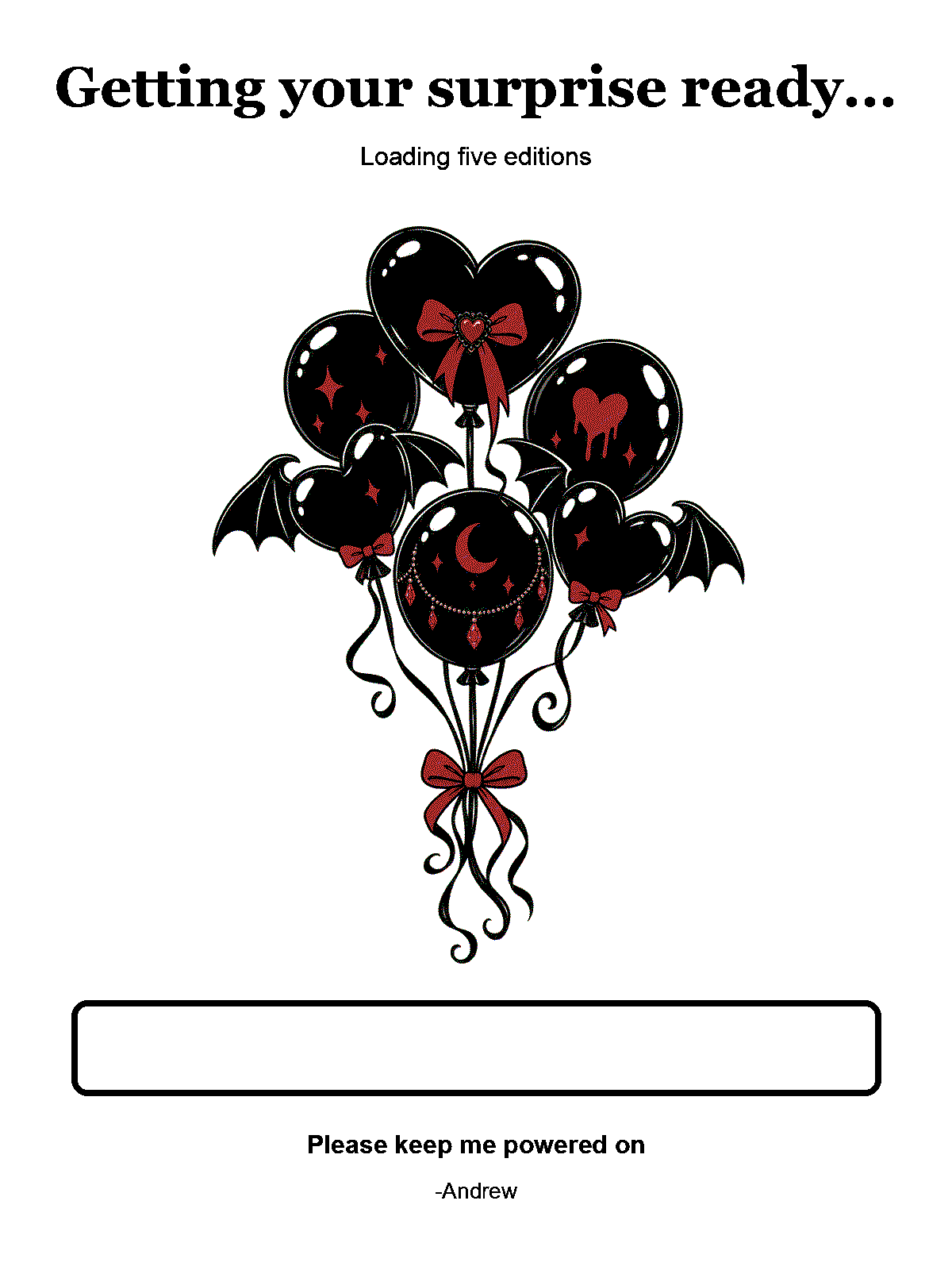
After setup succeeds, GabBirthday closes and the first newspaper sync starts. The display retrieves five editions while a progress bar fills underneath a bouquet of goth balloons.
Updating it later
Sooner or later I will forget the exact PlatformIO incantation used to build this. A browser installer seemed kinder to my future self.
The first complete installation writes the bootloader, partition table and application over USB. I published the firmware and Web Serial installer source on GitHub. Chrome or Edge asks the user to select the serial device.
I tested the live installer the unpleasantly convincing way: download its factory image, erase the E1004 and flash that downloaded copy back onto it.
For later application updates, the firmware has two OTA slots. Holding all three face buttons for two seconds opens a temporary maintenance mode, joins the saved Wi-Fi and shows a local address plus a new six-digit access code. The local page can upload firmware into the inactive slot, force a newspaper check, restart or close maintenance mode.
The session expires after ten minutes. Firmware uploads require the displayed code. An interrupted upload should leave the current application selected.
The generated partition table contains both update slots, and that is the layout now flashed on the ESP32-S3. Maintenance mode can sit quietly until the day I inevitably decide to change the firmware again.
And then I gave it to Gab
Gab has the display now. The birthday image stayed on the screen in the box, she joined it to Wi-Fi and the newspaper appeared. It worked.
Most of the time it now does absolutely nothing. Every three hours it wakes up, checks the New York date and looks for a new front page. A failed check leaves yesterday’s edition alone. Then it goes back to sleep.
The photograph Gab sent me afterwards was the nicest test result of the entire project.
Happy birthday, Gab.
-AM